What Budget Tracking Apps Actually Do
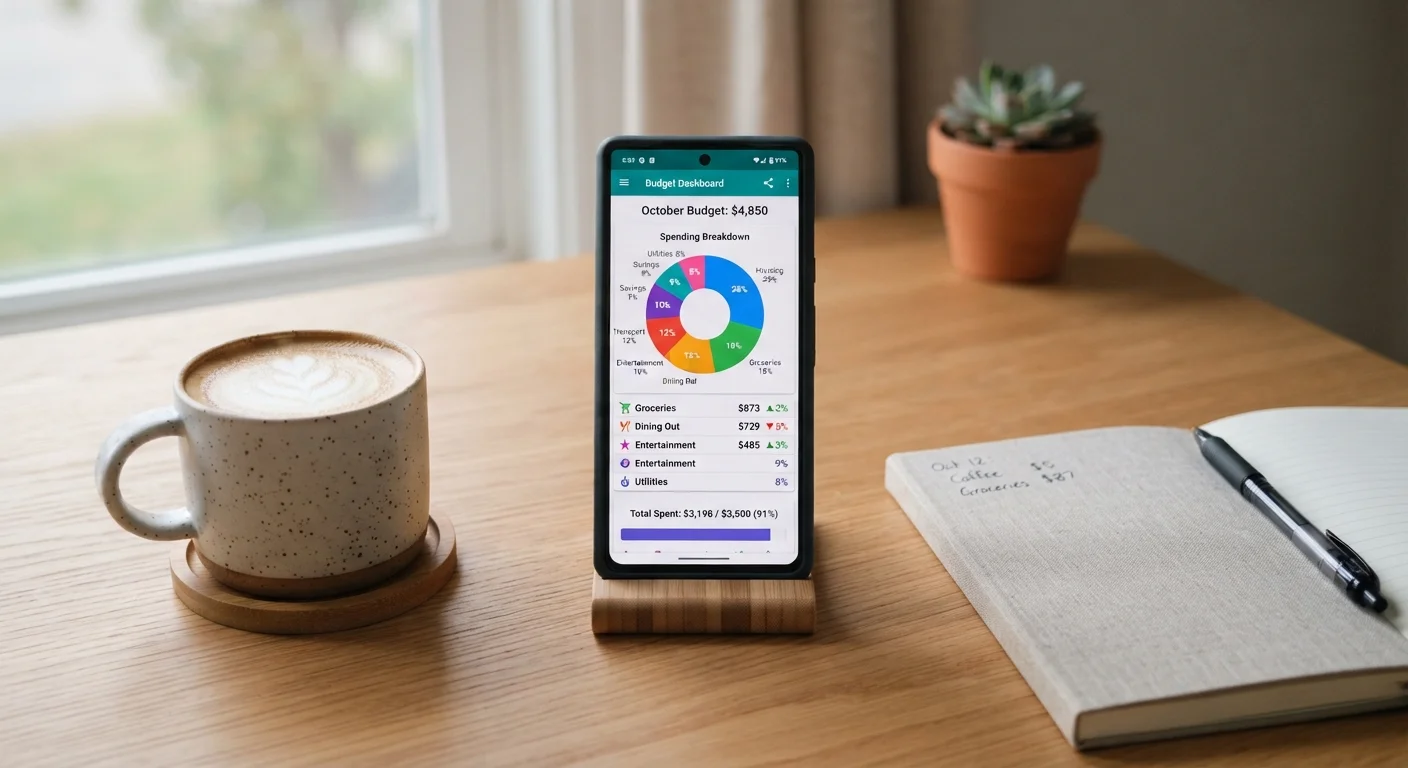
Budget tracking apps connect to your bank accounts and credit cards, automatically pulling in transactions and sorting them into spending categories like groceries, dining, or transportation. The appeal is obvious: instead of logging every coffee purchase by hand, the app does the data entry for you.
Most apps display your spending as charts or summaries, send alerts when you near a category limit, and show month-over-month trends. Some also let you set savings goals or view an overview of your net worth by linking investment and loan accounts.
What they do not do is make financial decisions on your behalf. An app can tell you that you spent $340 on dining last month. Whether that number is a problem - and what to do about it - is still entirely up to you. Understanding this distinction is the foundation for using any tool well. For a side-by-side comparison of apps versus other tracking methods, see Tracking Spending: Spreadsheets, Apps, and Pen-and-Paper Compared.
The Real Advantages Worth Knowing
For many first-time budgeters, the biggest barrier is simply not knowing where the money goes. Apps solve that problem quickly.
Automates tedious transaction logging instantly
Syncing with your bank means spending categories populate without manual entry, removing the biggest friction point for new budgeters.
Makes spending patterns visible quickly
Charts and category summaries reveal habits - like recurring subscriptions or dining costs - that are easy to overlook when reviewing raw bank statements.
Sends timely alerts before you overspend
Push notifications when you near a category limit act as a real-time nudge, giving you a chance to adjust behavior mid-month rather than after the fact.
Consolidates multiple accounts in one view
Linking checking, savings, credit cards, and loans lets you see your full financial picture without logging into multiple websites separately.
Many capable options are free to use
A number of well-regarded tracking apps offer core budgeting features at no cost, lowering the barrier for anyone testing the habit for the first time.
Automated categorization makes patterns visible within days of signing up - something that would take weeks of manual logging to achieve. Alerts and spending summaries also create natural checkpoints, nudging you to look at your finances more often than you otherwise might. Consistent review is itself a skill worth building. The guide to building a budgeting habit explores why regularity matters more than the tool you choose.
The Limitations That Rarely Get Mentioned
The convenience of automatic syncing comes with trade-offs that are worth understanding before you hand over your banking credentials.
Automatic categorization is frequently inaccurate
Apps guess transaction categories based on merchant names, and they often guess wrong. Miscategorized spending gives you a distorted view that requires manual correction to fix.
Cash spending is completely invisible
Any purchase made with physical cash will not appear unless you enter it manually, meaning heavy cash users get an incomplete and misleading spending picture.
Sharing financial login credentials raises privacy risks
Connecting bank accounts to a third-party app means your transaction history is stored externally. Data breaches, though not guaranteed, are a documented risk across many app categories.
Budget limits assume stable, predictable income
Most apps set monthly caps based on a fixed income figure, which becomes unreliable for freelancers or anyone whose earnings change significantly from month to month.
Data alone does not change spending behavior
An app surfaces information but cannot act on it. Without regular review and a willingness to adjust habits, even perfectly accurate data produces no financial improvement.
Shared or household expenses are hard to track
Expenses split between partners or housemates are difficult to attribute accurately, and most apps offer limited tools for handling joint finances across separate accounts.
Categorization errors are common - an Amazon purchase might be tagged as "Shopping" when it was a household necessity, and the app has no way to know the difference. Cash spending is invisible entirely, which skews the picture for anyone who regularly uses physical money. Privacy is a legitimate concern: linking financial accounts to a third-party app means your transaction history is stored on external servers, so reading the app's privacy policy is a reasonable precaution, not paranoia.
People with variable income face a particular challenge. Most apps are built around fixed monthly income, which makes their alerts and budget limits less meaningful when your paycheck fluctuates. Budgeting strategies for freelancers and variable earners covers approaches that work better in those situations.
A Note on App Security and Privacy
Most reputable budget tracking apps use bank-level encryption and read-only access to your accounts, meaning they can view transactions but not move money. However, 'read-only' does not mean risk-free - your transaction history is still sensitive data. Before signing up for any app, review its privacy policy to understand how your data is stored, shared, and protected. Using a dedicated email address and strong, unique password for financial apps is a reasonable precaution.
Making an Honest Assessment for Your Situation
The right question is not whether budget tracking apps are good or bad - it is whether a given app fits your actual spending patterns and privacy comfort level.
~40%
Adults who follow a formal budget
Surveys consistently find that fewer than half of American adults maintain a written or tracked budget, suggesting most people have significant room to benefit from structured tracking.
3-5 min
Typical daily review time needed
Financial planners generally suggest a brief daily or weekly check-in with any tracking tool is more effective than monthly deep-dives for catching overspending early.
If most of your transactions run through a debit or credit card, an app will capture a fairly complete picture. If you pay cash often, split bills with a partner, or have income that varies month to month, you will need to supplement the app with manual entries or a different system altogether.
Apps also tend to be most effective when paired with a clear sense of your spending priorities. Knowing the difference between needs and wants helps you interpret your app's data meaningfully, rather than just watching the numbers scroll by.
Whatever tool you choose, the goal is the same: build enough financial awareness to make intentional choices. A free budgeting app is one path; a spreadsheet, a notebook, or a combination of all three can work equally well for the right person.
This article is for general informational and educational purposes only. It does not constitute personalized financial advice. Consider speaking with a qualified financial professional about your specific circumstances.